3D iPhone Templates

3D iPhone Templates - Drag & Drop Magic for Final Cut Pro 🧙♂️
"3D iPhone Templates" is included in the The Ultimate Bundle
What does it do? 📱
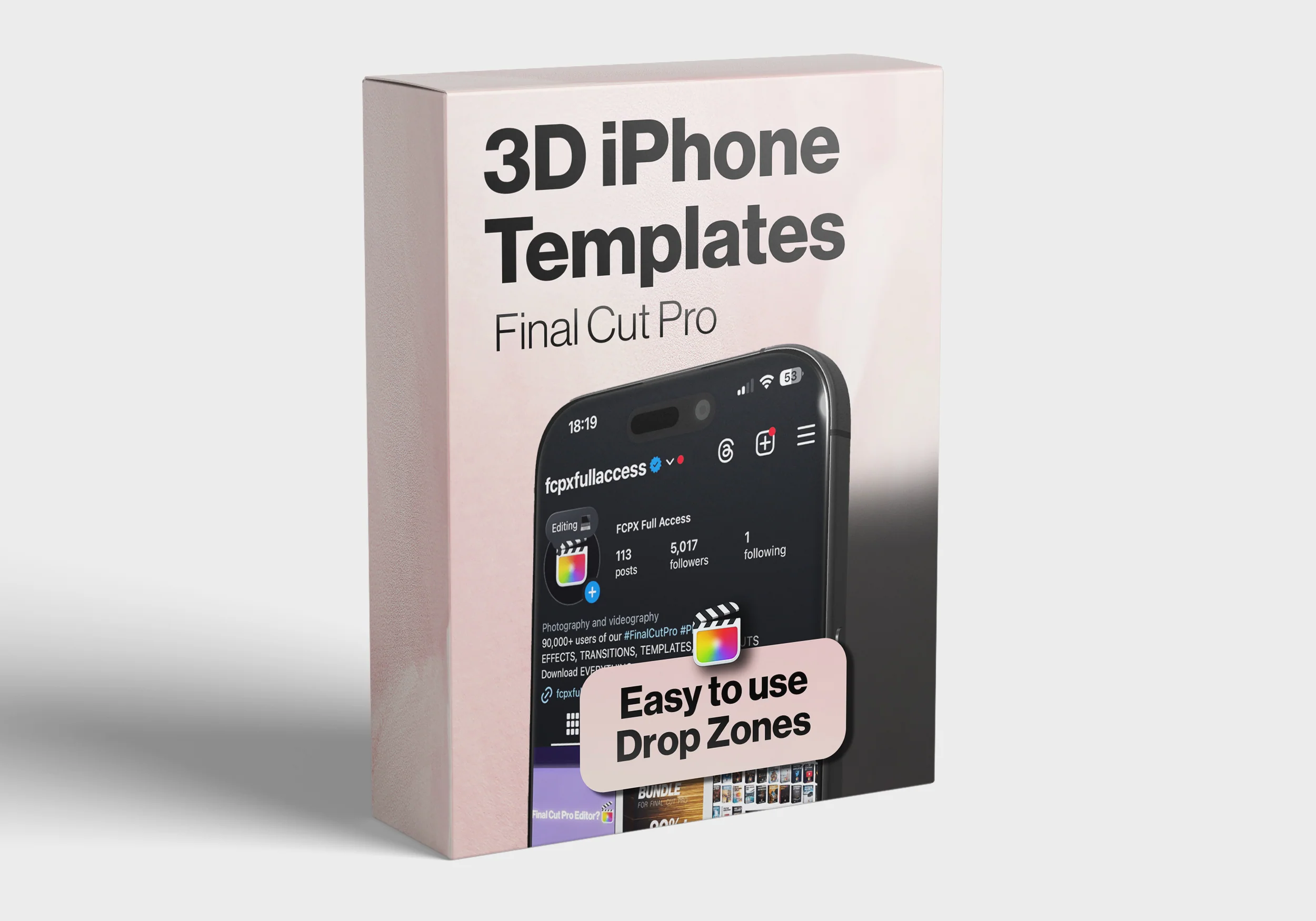
3D iPhone Templates is a powerful, drag-and-drop plugin for Final Cut Pro that lets you insert your own videos or images into a 3D animated iPhone 16 style template.
Use simple dropzones to showcase your app, content, or design inside an ultra-realistic iPhone animation - no Motion or After Effects needed.
It’s fully customizable, runs entirely inside Final Cut, and delivers professional-grade results in seconds with no steep learning curve.
Ideal for promos, presentations, portfolios, and social media content. 🎯
What's Included
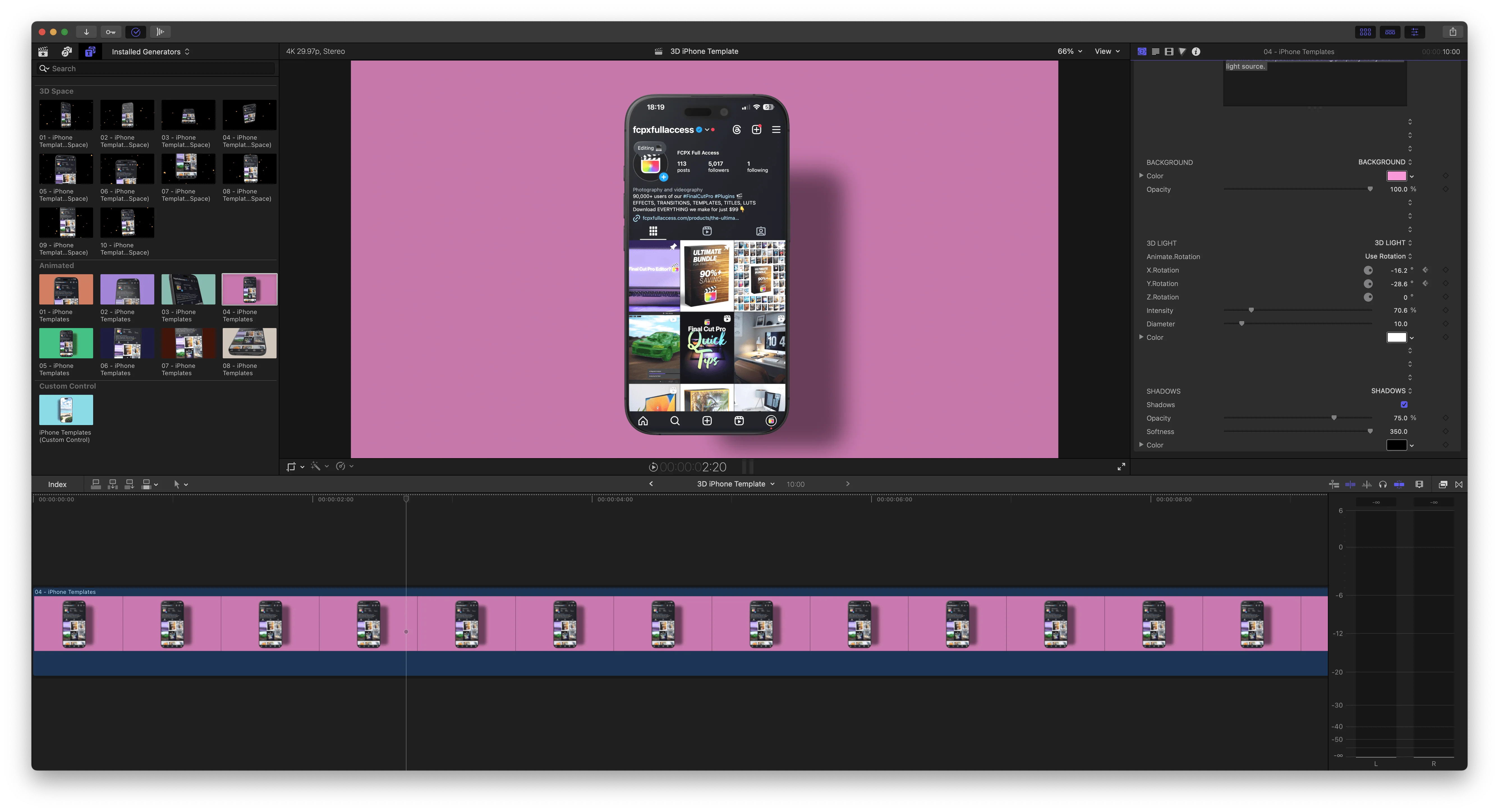
- 10x "3D Space" Animated iPhone 16 Templates - built with dynamic digital 3D camera rigs, these templates utilise 3D depth to give a highly cinematic feel
-
8x "Animated" Templates- Adjust shadows, dynamic lighting, background colors, and more. -
1x Custom Control - a standalone "Animated" style template with no automation added, instead users have the ability to keyframe their own 3D movements using simple parameter controls.
How to Use
-
📲 Simply drop your footage or image into the dropzone:
anybody can get professional results in seconds with this powerful pack.
-
🎨 Customize the Scene:
Adjust shadows, dynamic lighting and background colors.
-
🚀 Export with Style:
Render your final output and impress your audience instantly.
Level up your presentations & edits now 🚀
Get 3D iPhone Templates and create scroll-stopping visuals.
Buy NowHere's What You Get
- Requires Final Cut Pro 11.0 or later
(free update available on the Mac App Store)
- Optimized for 16:9 and 9:16 projects
- Works with vertical or horizontal footage
© All Rights Reserved FCPX Full Access
*Strictly not for sharing or resale. Please share only the original link.
Original: $19.99
-65%$19.99
$7.00More Images
3D iPhone Templates
3D iPhone Templates - Drag & Drop Magic for Final Cut Pro 🧙♂️
"3D iPhone Templates" is included in the The Ultimate Bundle
What does it do? 📱
3D iPhone Templates is a powerful, drag-and-drop plugin for Final Cut Pro that lets you insert your own videos or images into a 3D animated iPhone 16 style template.
Use simple dropzones to showcase your app, content, or design inside an ultra-realistic iPhone animation - no Motion or After Effects needed.
It’s fully customizable, runs entirely inside Final Cut, and delivers professional-grade results in seconds with no steep learning curve.
Ideal for promos, presentations, portfolios, and social media content. 🎯
What's Included
- 10x "3D Space" Animated iPhone 16 Templates - built with dynamic digital 3D camera rigs, these templates utilise 3D depth to give a highly cinematic feel
-
8x "Animated" Templates- Adjust shadows, dynamic lighting, background colors, and more. -
1x Custom Control - a standalone "Animated" style template with no automation added, instead users have the ability to keyframe their own 3D movements using simple parameter controls.
How to Use
-
📲 Simply drop your footage or image into the dropzone:
anybody can get professional results in seconds with this powerful pack.
-
🎨 Customize the Scene:
Adjust shadows, dynamic lighting and background colors.
-
🚀 Export with Style:
Render your final output and impress your audience instantly.
Level up your presentations & edits now 🚀
Get 3D iPhone Templates and create scroll-stopping visuals.
Buy NowHere's What You Get
- Requires Final Cut Pro 11.0 or later
(free update available on the Mac App Store)
- Optimized for 16:9 and 9:16 projects
- Works with vertical or horizontal footage
© All Rights Reserved FCPX Full Access
*Strictly not for sharing or resale. Please share only the original link.
Product Information
Product Information
Shipping & Returns
Shipping & Returns
Description
3D iPhone Templates - Drag & Drop Magic for Final Cut Pro 🧙♂️
"3D iPhone Templates" is included in the The Ultimate Bundle
What does it do? 📱
3D iPhone Templates is a powerful, drag-and-drop plugin for Final Cut Pro that lets you insert your own videos or images into a 3D animated iPhone 16 style template.
Use simple dropzones to showcase your app, content, or design inside an ultra-realistic iPhone animation - no Motion or After Effects needed.
It’s fully customizable, runs entirely inside Final Cut, and delivers professional-grade results in seconds with no steep learning curve.
Ideal for promos, presentations, portfolios, and social media content. 🎯
What's Included
- 10x "3D Space" Animated iPhone 16 Templates - built with dynamic digital 3D camera rigs, these templates utilise 3D depth to give a highly cinematic feel
-
8x "Animated" Templates- Adjust shadows, dynamic lighting, background colors, and more. -
1x Custom Control - a standalone "Animated" style template with no automation added, instead users have the ability to keyframe their own 3D movements using simple parameter controls.
How to Use
-
📲 Simply drop your footage or image into the dropzone:
anybody can get professional results in seconds with this powerful pack.
-
🎨 Customize the Scene:
Adjust shadows, dynamic lighting and background colors.
-
🚀 Export with Style:
Render your final output and impress your audience instantly.
Level up your presentations & edits now 🚀
Get 3D iPhone Templates and create scroll-stopping visuals.
Buy NowHere's What You Get
- Requires Final Cut Pro 11.0 or later
(free update available on the Mac App Store)
- Optimized for 16:9 and 9:16 projects
- Works with vertical or horizontal footage
© All Rights Reserved FCPX Full Access
*Strictly not for sharing or resale. Please share only the original link.